

What the Internal Agent can do in a task
Built-in, support-specific capabilities:- Building: read and update your Customer Agent’s configurations, and build tools and connections. See Build.
- Testing: run test simulations of your Customer Agent before changes ship. See Test.
- Reporting: analyze any slice of your tickets and generate reports, interactive graphs, and CSV files. See Identify gaps.
- Answering: answer questions about your setup, your tickets, and how any ticket was handled.
- Using connections: act in your connected tools, like searching Linear for a known bug, posting to Slack, or updating a Notion page by building and running one-off coding scripts, for example to analyze ticket data at scale or pull data from a connected service like Stripe.
Ways to start a task
- In the Platform on the “Tasks” tab.
- In Slack, by tagging @parahelp in any channel where it’s been added.
- Automatically, when an automation triggers. See Automations.
- Through the Internal Agent API (beta): start tasks, follow progress, read output files, and take actions from your own tools and scripts. Reach out to get set up.
Actions and approvals
When the Internal Agent suggests a change in a task, it lands as a pending action. By default, every action requires manual approval. Nothing runs until you approve it. You can set specific tools to auto-approve in a task: press ”+” in the chat box and pick the actions to allow under “Auto-approve.” Approving a configuration action publishes it as a release - see Release.Task attributes
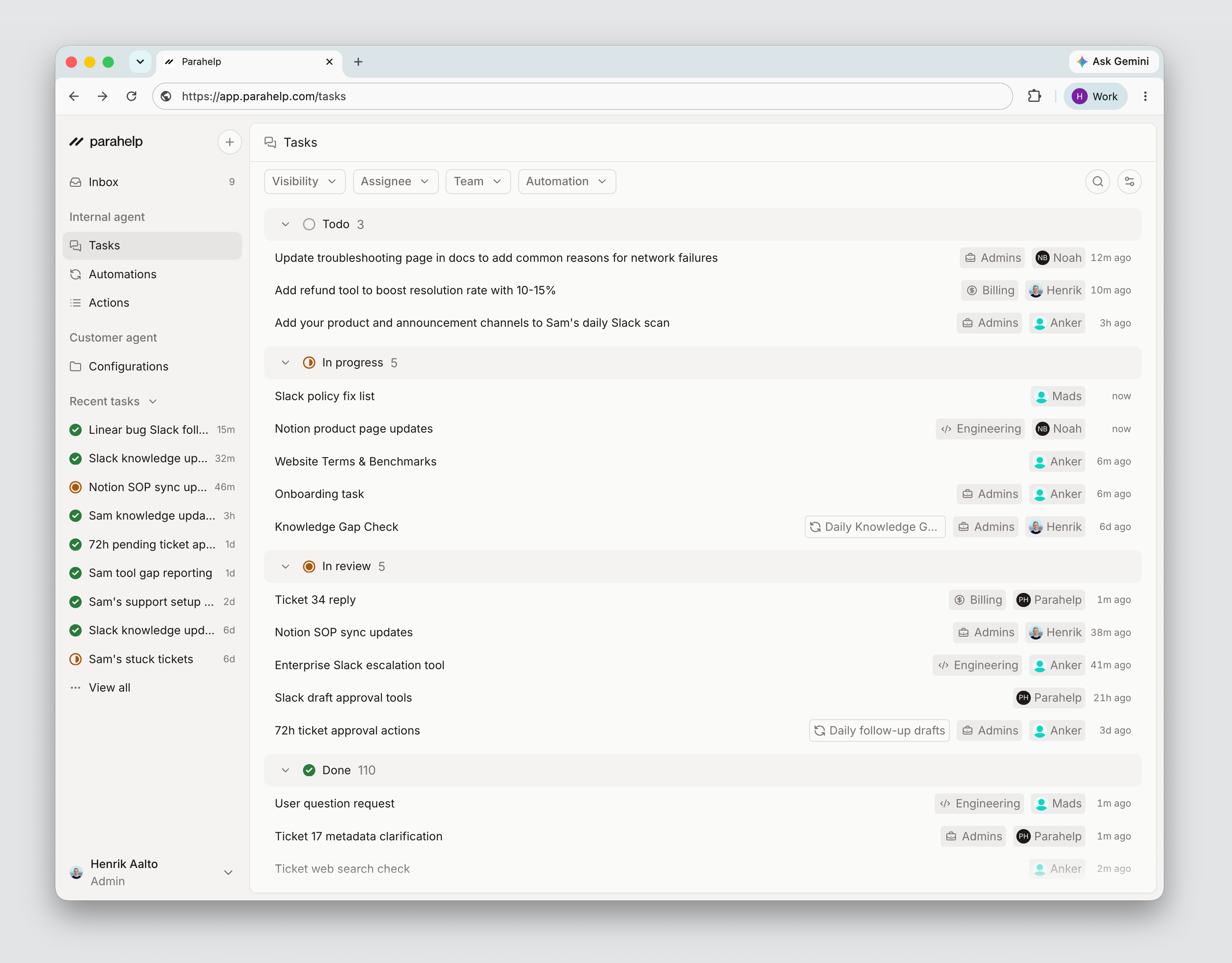
- Visibility: private (visible only to you, for personal exploration and drafts) or shared (visible to your whole team, for team-relevant work). You can change this at any time.
- Assignee: the teammate responsible for the task. The Internal Agent assigns todos to the relevant person.
- Team: the team the work belongs to, like product knowledge gaps to one team and enterprise policy gaps to another. Manage teams in Settings → Teams.
- Impact: how much the task should move your support performance: low, medium, or high.
Connections in tasks
Each task has access to the tools you’ve connected on the Connections page. If a task needs a tool that isn’t connected yet, the Internal Agent will prompt you to connect it.Files
Some tasks produce files, such as CSV reports, test definitions, or scripts. They appear under the “Files” tab and can be downloaded.Work on tasks with teammates
The Tasks page is a board and list view of everything you and your team are working on: your private tasks and your team’s shared tasks, which you can also continue. Each task moves through states as work progresses:- Todo: created and waiting to be started. The Internal Agent automatically creates todos for high-leverage improvements it identifies in automations and one-off tasks, with the relevant context and attributes already set.
- In progress: the Internal Agent is working on it.
- In review: the task has pending actions waiting for your approval.
- Done: no pending actions.